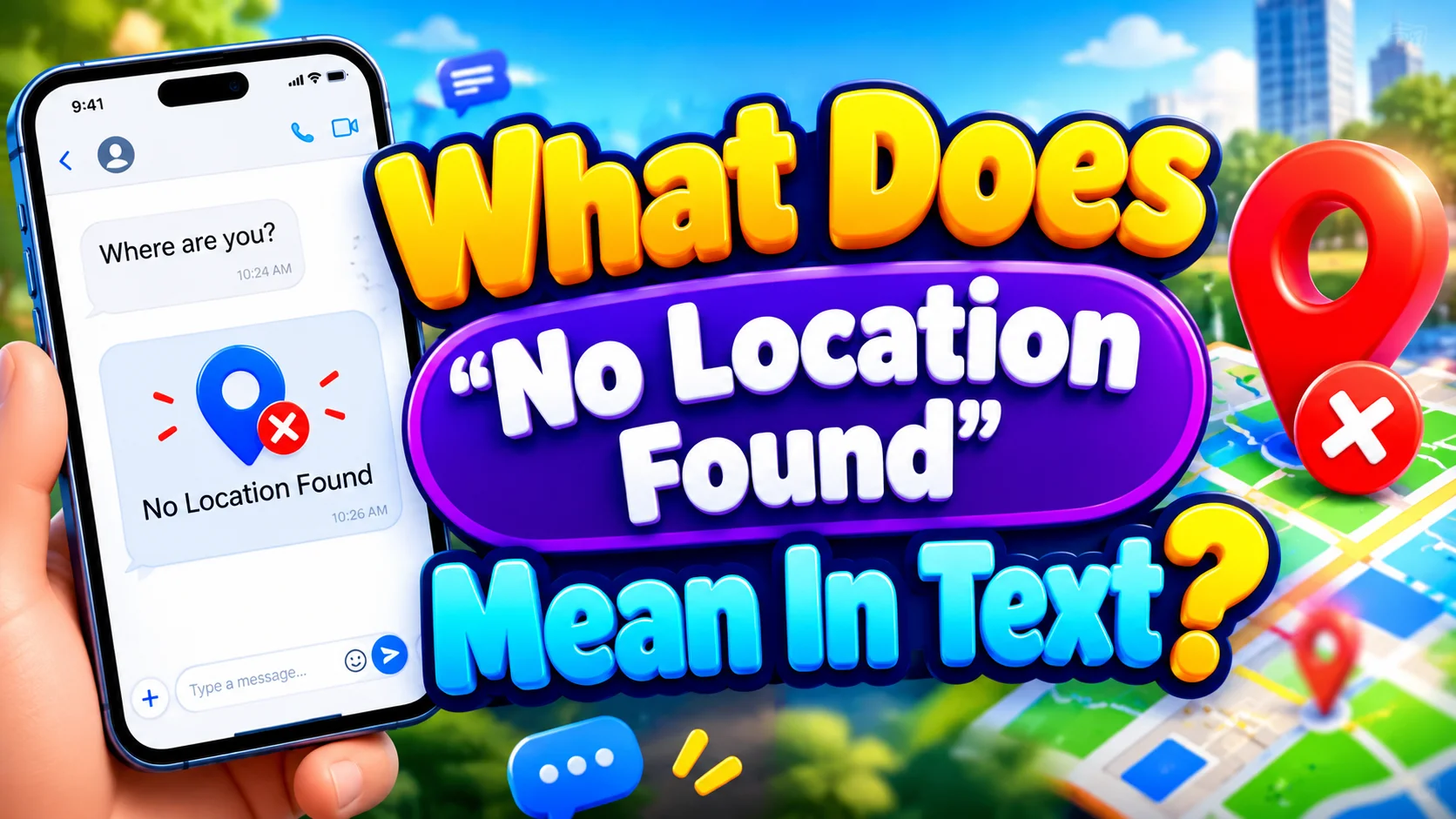
If you’ve opened a text conversation and noticed “No Location Found,” it’s easy to wonder what happened. Did the person turn off their location? Did their phone lose service? Were you blocked? Or is something simply wrong with the location-sharing system?
In most cases, “No Location Found” means the location-sharing service can’t currently retrieve the person’s location. That message doesn’t tell you exactly why the location is unavailable. A dead battery, missing internet connection, disabled Location Services, a temporary software problem, or a change in location-sharing settings can all affect availability.
The important point is that “No Location Found” isn’t proof that someone blocked you or deliberately stopped sharing their location. The status tells you about the availability of location data. It doesn’t reliably tell you the person’s intention.
This distinction matters because location sharing combines several technologies. Your iPhone may use GPS, Wi-Fi, cellular networks, Bluetooth, and other signals to determine or communicate a location. If one part of that process becomes unavailable, the location may fail to update.
Whether you’re checking a friend’s location, trying to understand an iMessage conversation, or troubleshooting Find My, this guide explains what the message means, what causes it, and what you can reasonably conclude from it.
Comparison Overview
Several location statuses can look similar while communicating different things. The exact wording can also depend on the Apple feature you’re using and the software version.
| Location status | General meaning | What it doesn’t prove |
| No Location Found | The service can’t currently retrieve a location | That you’ve been blocked |
| Current Location | A current location is available | That the person will remain there |
| Last Known Location | A previous location is available | That the person is still there |
| Location Not Available | A location can’t currently be displayed or retrieved | The exact reason for the problem |
| Location Sharing Disabled | Sharing isn’t currently available under the relevant settings | Why the person changed the setting |
The biggest mistake is treating these statuses as direct explanations. A location status is a technical result, not a window into someone’s intentions.
For example, if someone enters a subway tunnel and loses connectivity, their location may stop updating. The same basic symptom can appear when a device runs out of battery. Those situations obviously have very different causes.
What Does “No Location Found” Mean in Text?
When “No Location Found” appears alongside a location shared through a text conversation, it generally means the service can’t retrieve the location associated with that shared location.
That doesn’t mean the person has disappeared. It doesn’t necessarily mean their phone has stopped working. Most importantly, it doesn’t automatically mean they’ve taken an action against you.
Think of location sharing like a live radio signal. If the receiver can’t pick up the signal, it can’t tell you what’s happening at the other end. The absence of the signal doesn’t reveal why it disappeared.
What “No Location Found” Actually Tells You
The message gives you one reliable piece of information:
A usable location isn’t currently available to you through that location-sharing service.
That’s it.
It doesn’t reliably tell you:
- Whether the person’s phone is powered off.
- Whether their battery is dead.
- Whether they intentionally stopped sharing.
- Whether they blocked you.
- Whether they are traveling.
- Whether their phone has cellular service.
- Whether their location settings changed.
- Whether the problem is temporary.
Those possibilities require additional evidence.
Why Location Sharing Can Fail
Location sharing involves more than simply asking a phone for its GPS coordinates.
A modern smartphone can combine several sources of positioning information. GPS can provide satellite-based positioning. Wi-Fi networks can help determine a device’s approximate position. Cellular networks can provide additional location information. Bluetooth and other device signals can also contribute in supported circumstances.
Once the device determines its location, that information still needs to be made available through the relevant service.
So there are several stages where something can go wrong:
Device → Location data → Network connection → Location service → Recipient
A failure at any point can affect what you see.
Main Differences Between “No Location Found” and Other Location Statuses
Understanding the difference between location messages helps prevent unnecessary assumptions.
“No Location Found” vs. “Location Not Available”
These phrases can sound interchangeable because both indicate that you don’t have usable location information.
However, the wording can depend on the specific Apple feature, device state, and software version. You shouldn’t assume that every variation corresponds to one specific cause.
The safest interpretation is straightforward: the requested location isn’t currently available through that service.
“No Location Found” vs. Last Known Location
A last known location is different because it represents an earlier location that the system was able to obtain.
For example, imagine someone was at a coffee shop at 10:00 a.m. Their phone then loses connectivity at 10:15 a.m.
If a last known location remains available, it may still show the coffee shop. That doesn’t mean the person is still there at 10:30 a.m.
A last known location should therefore be treated as historical information, not a guaranteed live position.
“No Location Found” vs. Current Location
A current location indicates that the system has successfully obtained and displayed location information.
“No Location Found” indicates that the system can’t currently provide that information.
The distinction is simple:
- Current location: usable location data is available.
- No Location Found: usable location data isn’t currently available.
Why Does “No Location Found” Appear?
There isn’t one universal cause. Several conditions can produce the same result.
The iPhone Is Turned Off
A powered-off iPhone can’t normally provide fresh location updates in the same way an active, connected device can.
If someone’s phone shuts down because they manually turned it off or because the battery died, their current location may become unavailable.
That doesn’t tell you why the device went offline.
A person could have deliberately powered it down. Their battery could simply have reached zero. They could also be dealing with another device problem.
The Phone Has a Dead Battery
A dead battery is one of the most straightforward explanations.
Once an iPhone loses power, it can’t continue normal location updates. Depending on Apple’s available device-finding features and the device’s configuration, certain Find My capabilities can behave differently around power-off states. Therefore, don’t assume every powered-off iPhone behaves identically.
For the person viewing the location, the practical takeaway remains the same:
A missing location can happen because the other device isn’t able to provide fresh location information.
The Phone Has No Internet Connection
Location determination and location sharing aren’t exactly the same thing.
A phone may know approximately where it is while still having difficulty communicating that information to another person.
Consider a simple scenario:
- Someone walks into an area with poor cellular coverage.
- Their Wi-Fi connection isn’t available.
- The device can’t successfully communicate with the location-sharing service.
- Their location stops updating for the recipient.
When the connection returns, the location may become available again.
This is why “No Location Found” doesn’t necessarily mean the person is sitting somewhere without GPS.
Cellular Service Is Weak or Unavailable
Remote roads, underground spaces, large buildings, elevators, and certain rural areas can interfere with reliable connectivity.
Even if a phone can determine its position, sending an update may still depend on available communication pathways.
For instance, someone traveling through a mountain area might temporarily disappear from a location-sharing view. If their location reappears after they regain service, a connectivity issue becomes a reasonable explanation.
Location Services Aren’t Available
Apple devices use Location Services to allow apps and services to access location information.
If relevant location permissions or Location Services settings aren’t available, an app may not be able to obtain the information needed to show a location.
This is an important distinction because a location problem doesn’t necessarily mean the hardware itself is broken.
A setting can prevent access even when the phone is functioning normally.
Location-Sharing Settings Changed
Location sharing can be affected when a person changes relevant settings or permissions.
Someone might:
- Stop sharing their location.
- Change which account or device shares their location.
- Modify location permissions.
- Change settings related to Find My.
- Switch to another Apple device.
However, seeing “No Location Found” doesn’t tell you which of these happened.
That’s why claims such as “No Location Found always means they stopped sharing” are too absolute.
A Temporary Software or Service Problem
Technology occasionally misbehaves.
An app can fail to refresh. A connection can become stale. A location request can time out. A temporary software issue can prevent information from appearing correctly.
If the location disappears and then returns without anyone changing settings, a temporary technical problem becomes a sensible possibility.
Apple Community discussions include reports of location information becoming temporarily unavailable and later returning. Community reports can be useful for identifying real-world patterns, but Apple’s own documentation should take priority when determining how an official feature works.
Does “No Location Found” Mean Someone Blocked You?
No. “No Location Found” by itself does not prove that someone blocked you.
This is one of the most common assumptions surrounding the message.
Blocking and location sharing are separate concepts. A person can have a location-sharing problem without blocking anyone. Likewise, you shouldn’t use a missing location as a standalone test for whether someone has blocked you.
Suppose you normally see a friend’s location and it suddenly disappears. Several explanations remain possible:
- Their phone lost service.
- Their battery died.
- Their location settings changed.
- Their device went offline.
- A temporary technical issue occurred.
- They stopped sharing.
- Another location-sharing condition changed.
Blocking is only one assumption among several, and the message itself doesn’t establish it.
Does “No Location Found” Mean They Stopped Sharing Their Location?
Not necessarily.
A person can stop sharing their location intentionally. However, “No Location Found” doesn’t give you enough information to distinguish deliberate action from technical failure.
That’s an important distinction.
If someone tells you they stopped sharing their location, you have direct information about their choice. If all you have is a status message, you only know that the location isn’t currently available.
The two situations shouldn’t be treated as equivalent.
What If the Location Suddenly Disappears?
Look at what happens afterward.
If the location returns after several minutes, a temporary issue becomes more plausible.
If it remains unavailable for a long period, several explanations remain possible. The device may still be offline, the settings may have changed, or sharing may no longer be available.
The status itself doesn’t resolve the mystery.
Does “No Location Found” Mean Their Phone Is Off?
It can, but that’s only one possible explanation.
A powered-off phone can’t normally provide the same ongoing location updates as an active connected device. Yet the same visible status can arise from other conditions.
For example, compare these two situations:
Scenario A: The phone battery dies at 8:00 p.m.
Scenario B: The phone remains powered on but loses connectivity and can’t provide a usable update.
From the recipient’s perspective, both can result in missing location information.
That’s why the message shouldn’t be treated as a definitive diagnostic report.
How Location Sharing Actually Works
To understand the phrase properly, it helps to understand the basic technology behind location sharing.
Location Determination
Your device can use multiple technologies to estimate where it is.
These may include:
- GPS and satellite signals
- Wi-Fi positioning
- Cellular network information
- Bluetooth-related signals
- Device-based location services
The phone combines available information to estimate its position.
Location Communication
Knowing the location isn’t the same as sharing it.
The device must also communicate information through the relevant Apple service or network connection.
This creates an important distinction:
The phone may know where it is while the recipient still can’t receive an updated location.
That explains why a missing location doesn’t automatically mean the phone can’t determine its own position.
Location Display
Finally, the recipient’s device needs to retrieve and display the available information.
That means your own connection or app state can sometimes matter too.
So location sharing isn’t simply:
GPS → Your screen
It’s closer to:
Location signals → Device determines position → Location service processes information → Network communication → Your device receives information → Location appears
A problem anywhere along that chain can affect what you see.
What Should You Do When You See “No Location Found”?
If you’re troubleshooting the issue, start with simple explanations before assuming something more serious.
Refresh the Location
Give the service a moment to update.
Open the relevant conversation or Find My feature again and check whether the location returns.
Temporary connection problems sometimes resolve without further action.
Check Your Own Internet Connection
Don’t overlook your own device.
If your iPhone can’t reliably connect to the internet, it may struggle to retrieve current information from online services.
Try switching between available Wi-Fi and cellular connections if appropriate.
Ask the Person to Check Their Device
If you’re comfortable contacting them, keep the question simple.
For example:
“Hey, your location isn’t showing for me. Can you check if location sharing is working?”
This approach is better than immediately assuming someone blocked you.
Check Location Settings
If the person wants to troubleshoot their device, they can review relevant Location Services, Find My, and sharing permissions.
The exact menu names and options can change between iOS versions. That’s another reason to use Apple’s current support documentation when following device-specific instructions.
Restart the Relevant Device
A restart can resolve certain temporary software or connectivity problems.
It isn’t a guaranteed fix, but it’s a reasonable troubleshooting step when location information behaves unexpectedly.
Update the Software
If the issue persists, check whether the device is running current software.
Software updates can address bugs and compatibility problems. However, don’t assume an update will fix every location-sharing issue because connectivity and settings can produce the same symptom.
Also Read This: BOP Mean in Text: What It Means, Slang Uses, Examples, and Context
Real-World Case Studies
Looking at practical situations makes the distinction easier to understand.
Case Study: The Dead Battery
Alex shares a location with a family member while traveling.
At 6:30 p.m., Alex’s iPhone battery reaches zero.
At 6:45 p.m., the family member checks the shared location and sees “No Location Found.”
The message doesn’t mean Alex intentionally stopped sharing.
The simplest explanation is that the device is no longer operating normally because it has no power.
Lesson: A missing location can result from an ordinary device condition.
Case Study: The Weak-Signal Area
Maria drives through an area with poor cellular coverage.
Her location updates normally before entering the area. Then the location stops appearing.
Thirty minutes later, the location becomes available again.
Nothing necessarily changed about Maria’s willingness to share her location.
Lesson: Location availability can change when network conditions change.
Case Study: The Privacy Assumption
Jordan notices that a friend’s location disappears.
Jordan immediately assumes they’ve been blocked.
Later, the friend explains that they changed location-sharing settings while troubleshooting another issue.
The original assumption wasn’t supported by the status itself.
Lesson: Don’t turn a technical status into a personal conclusion without additional evidence.
Case Study: The Temporary Glitch
Sam checks Find My and sees that a person’s location isn’t available.
After reopening the service later, the location appears normally.
No settings were changed.
Lesson: Temporary software, network, or synchronization issues can sometimes produce short-lived location problems.
Common Misunderstandings About “No Location Found”
“It Always Means They Blocked Me”
This is incorrect.
The status doesn’t provide enough evidence to establish blocking. It only tells you that a location isn’t currently available through the service.
“Their Phone Must Be Dead”
Not necessarily.
A dead battery is one possible cause. So are connectivity problems, settings, permissions, and temporary technical issues.
“They Must Be Hiding Their Location”
That’s an assumption rather than a technical conclusion.
Someone may deliberately stop sharing. Yet the message itself doesn’t reveal their motive.
“GPS Must Be Broken”
Not necessarily.
Location systems use multiple technologies. A problem with network communication, permissions, or service availability can prevent you from receiving a location even when the device’s positioning hardware is working.
“The Last Location Is Their Current Location”
This can be especially misleading.
A last known location represents information from an earlier point in time. If the person has moved since then, that location may no longer be accurate.
How Long Does “No Location Found” Last?
There’s no universal time limit that applies to every situation.
The message can disappear when the underlying problem is resolved. If a device reconnects to the network, becomes available again, or successfully provides location information, the location may return.
In other cases, the status can persist.
The duration therefore depends on the cause rather than a simple countdown.
For example:
| Situation | What may happen |
| Temporary connection problem | Location may return after connectivity improves |
| Phone loses power | Location may remain unavailable until the device becomes available again |
| Location settings changed | Location may remain unavailable until the relevant settings change |
| Temporary software issue | Location may return after refreshing or restarting |
| Persistent device problem | Location may remain unavailable until the problem is resolved |
Can You Still Text Someone When Their Location Says “No Location Found”?
Yes.
Messaging and location sharing are not the same thing.
Someone can still communicate with you while their location isn’t currently available through the location-sharing service.
For example, a person might have messaging access through a working internet connection while their location-sharing feature isn’t providing the expected information.
So don’t use the ability to send messages—or the inability to see a location—as a simple yes-or-no test for another person’s device status.
What “No Location Found” Doesn’t Tell You
This may be the most useful part of understanding the message.
When you see it, you cannot reliably determine from that status alone:
- Whether the person is ignoring you.
- Whether they blocked you.
- Whether they intentionally disabled location sharing.
- Whether their phone is switched off.
- Whether their battery died.
- Whether they’re somewhere without cellular service.
- Whether they changed a privacy setting.
- Whether Apple’s services are temporarily experiencing a problem.
Instead, you know one thing:
The location-sharing service doesn’t currently have a usable location to show you.
That narrower interpretation is much more accurate.
FAQs:
What does “No Location Found” mean in text?
It generally means the location-sharing service can’t currently retrieve or display the person’s location. The message doesn’t automatically identify the reason.
Does “No Location Found” mean someone blocked me?
No. The status alone isn’t proof that you’ve been blocked. Connectivity, battery, device availability, settings, and temporary technical problems can also affect location sharing.
Does “No Location Found” mean their phone is turned off?
It can. However, the phone may also be online but unable to provide or communicate usable location information.
Does “No Location Found” mean they stopped sharing their location?
Not necessarily. A person may have stopped sharing, but the message alone doesn’t establish that this happened.
Can “No Location Found” be temporary?
Yes. If the underlying problem is temporary, the location may become available again once the device or connection recovers.
Conclusion:
“No Location Found” means a current location isn’t available through the location-sharing service.
That’s the clearest and safest interpretation.
The cause could be simple. The person’s phone might have lost power or connectivity. Location Services or sharing permissions might have changed. A temporary technical issue could also prevent an update.
What the message doesn’t give you is a reliable explanation of someone’s intentions.
It doesn’t automatically mean they’ve blocked you. It doesn’t necessarily mean they’ve stopped sharing. It doesn’t prove they’re deliberately hiding their location.
When you see “No Location Found” in text, iMessage, or Find My, focus first on what the status actually says rather than what you fear it might mean. Check whether the location returns later, consider connectivity and device availability, and use the relevant Apple settings when troubleshooting.
In short, “No Location Found” describes unavailable location data—not the reason behind it.