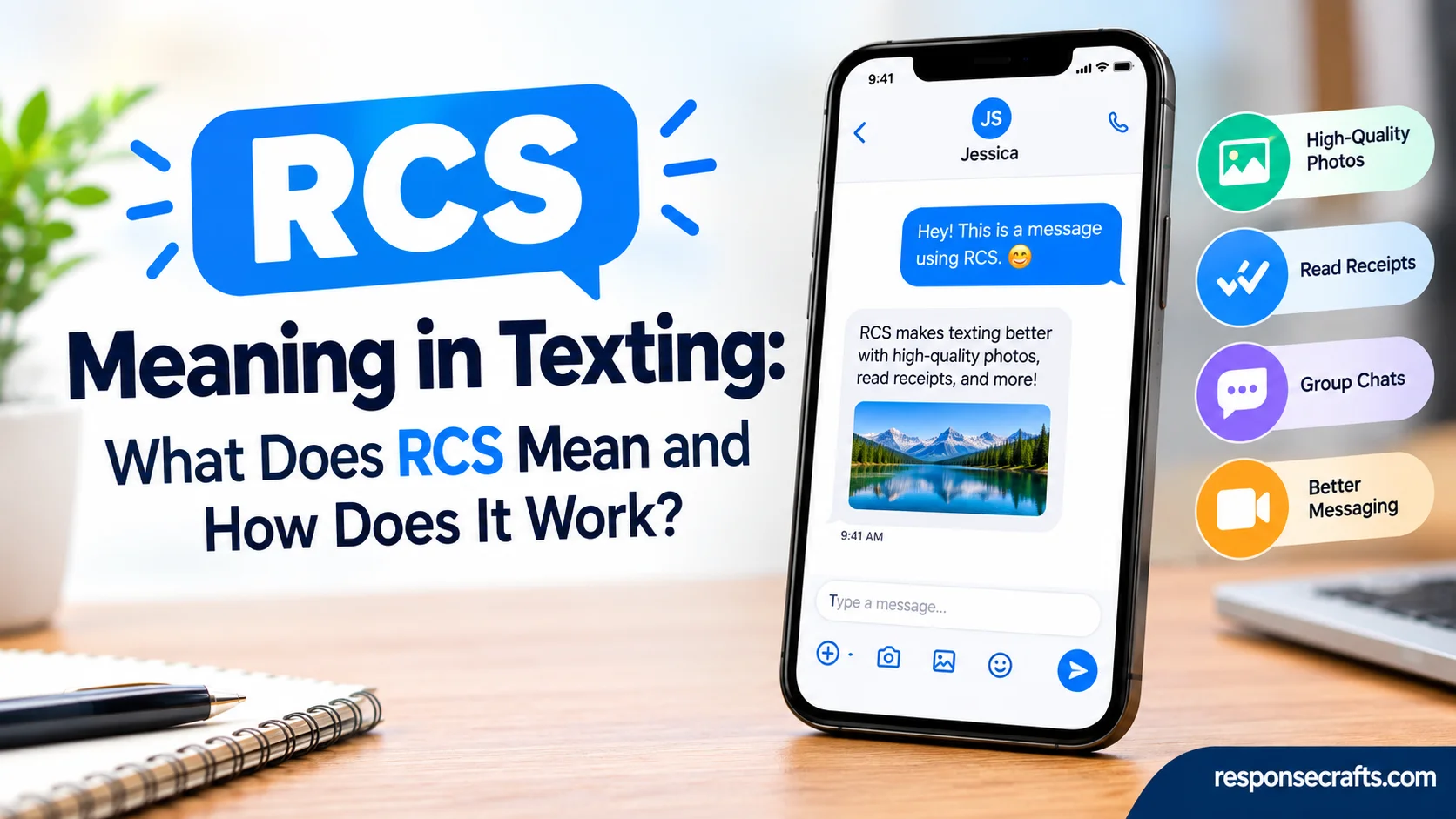
If you’ve noticed RCS while sending a text, you may wonder whether it is another piece of texting slang. It isn’t. RCS means Rich Communication Services, a modern messaging standard designed to make phone-number-based texting more capable than traditional SMS and MMS. Instead of relying only on basic text messages, RCS can provide a more feature-rich messaging experience on compatible devices.
Instead of limiting conversations to plain text and basic multimedia messages, RCS can add several useful features. These may include read receipts, typing indicators, high-quality photos and videos, and richer group chats. It can also support file sharing and messaging through Wi-Fi or mobile data, giving users more flexibility when communicating with friends, family, or coworkers.
However, the exact RCS features you receive can vary depending on several factors. Your device, carrier, messaging app, and region can all affect how RCS works for you. Some phones may support certain features while others may offer a different experience. Understanding these differences can help you recognize what RCS means when it appears in your messaging app.
Quick Answer
RCS means Rich Communication Services. It is a messaging standard that adds modern chat features to phone-number-based messaging.
When your conversation uses RCS, you may be able to:
- Send high-resolution photos and videos
- See when someone is typing
- Receive read receipts
- Send messages over Wi-Fi or mobile data
- Create richer group conversations
- Share files and other media
- Enjoy features that traditional SMS and MMS don’t provide
RCS isn’t a slang expression such as “LOL,” “BRB,” or “IMO.” If your messaging app says “RCS message”, it usually means that the conversation is using Rich Communication Services rather than ordinary SMS or MMS.
Google describes RCS as a richer messaging experience that works through supported messaging apps and carriers. Apple also supports RCS messaging on compatible iPhones and supported carriers.
Comparison Overview
The easiest way to understand RCS meaning in texting is to compare it with the older messaging standards.
| Feature | RCS | SMS | MMS |
| Full name | Rich Communication Services | Short Message Service | Multimedia Messaging Service |
| Plain text | Yes | Yes | Yes |
| High-quality photos | Supported | No | Limited |
| High-quality videos | Supported | No | Limited |
| Typing indicators | Supported | No | No |
| Read receipts | Supported | No | No |
| Wi-Fi messaging | Supported | No | No |
| Mobile data | Yes | No | Yes, depending on carrier |
| Rich group chats | Supported | Basic | Basic |
| File sharing | Supported | No | Limited |
| Phone-number based | Yes | Yes | Yes |
| Cross-platform support | Supported where available | Broad | Broad |
| Feature availability | Depends on implementation | Generally consistent | Depends on carrier |
The biggest difference is simple: SMS was built for basic text messaging, while RCS was designed for richer conversations.
However, RCS doesn’t completely replace SMS and MMS in every situation. Phones and messaging services can still use older standards when RCS isn’t available.
Main Differences Between RCS Meaning in Texting and SMS
The most important distinction comes down to what each technology can do.
SMS focuses on basic text. RCS adds features that people now expect from modern chat apps.
For example, imagine sending a friend a vacation photo. With traditional SMS/MMS, the image may be compressed significantly depending on the carrier and messaging system. With RCS, supported conversations can send much higher-quality media.
The same principle applies to conversation features. An SMS doesn’t normally tell you that the other person is typing. An RCS chat can show a typing indicator when that feature is supported and enabled.
RCS Uses Internet Connectivity
One major difference involves how messages travel.
RCS can use Wi-Fi or mobile data. Traditional SMS uses the cellular network’s SMS infrastructure.
That difference explains why RCS can offer features that resemble internet-based messaging services. Your phone can exchange richer information through a data connection rather than relying exclusively on the older SMS system.
This doesn’t mean RCS is automatically free under every circumstance. Wi-Fi generally avoids mobile-data usage, while cellular RCS messages can consume data according to your mobile plan.
RCS Supports Typing Indicators
Typing indicators provide a small but useful clue during conversations.
When supported, you might see dots or another visual indicator while the other person types. This creates a more immediate chat experience.
SMS doesn’t provide this feature because the standard wasn’t designed around the same real-time messaging capabilities.
RCS Can Provide Read Receipts
A read receipt tells you that a message has been opened or read according to the messaging system’s status.
That’s different from delivery.
Delivered generally means the message reached the recipient’s device or messaging service. Read indicates that the recipient has opened or viewed it according to the supported read-receipt system.
This distinction matters because seeing an RCS conversation doesn’t automatically mean the recipient has read your message.
RCS Handles Richer Media
RCS can support higher-quality photos, videos, and other rich content.
That’s particularly useful when you’re sharing:
- Travel photos
- Screenshots
- Short videos
- Documents
- Images containing text
- Multiple pictures in a conversation
The exact limits still depend on the messaging implementation and network.
What Does RCS Mean When Someone Texts You?
If someone literally writes “RCS” in a message, context becomes important.
Most of the time, however, people encounter RCS as a label inside their messaging app rather than as something another person types.
For example, your phone might show:
RCS message
That doesn’t mean your friend sent you the word “RCS.” It indicates that your messaging system is preparing to send the message using RCS.
Consider another example:
“Why does this chat say RCS?”
Here, the person is asking about the technology behind the conversation.
So, RCS meaning in a texting conversation is usually technical rather than slang-based.
Is RCS a Texting Slang Term?
No.
RCS isn’t comparable to abbreviations such as:
- LOL — laughing out loud
- BRB — be right back
- IDK — I don’t know
- IMO — in my opinion
- TBH — to be honest
Instead, RCS is the name of a messaging standard.
That distinction prevents a common misunderstanding. If you see RCS near the message box, don’t try to interpret it as a secret expression or emotional reaction.
What Does RCS Stand For?
RCS stands for Rich Communication Services.
The name itself describes the goal of the technology. Rather than treating phone-based messaging as a simple exchange of text, RCS provides a richer communication experience.
The standard has developed over many years through the telecommunications industry. Today, people are more likely to encounter it through messaging apps such as Google Messages or through RCS support on compatible iPhones.
The important point isn’t its history, though. What matters to everyday users is what RCS changes inside the messaging experience.
What Can You Do With RCS Texting?
RCS becomes easier to understand when you look at the features you can actually use.
Send Higher-Quality Photos and Videos
One of the most noticeable benefits is richer media sharing.
Instead of relying on traditional MMS limitations, supported RCS conversations can send higher-resolution photos and videos.
That’s useful when image quality matters. A detailed screenshot, product photo, scanned page, or travel picture can remain much clearer.
Still, don’t assume every RCS conversation has unlimited file size or identical quality. Providers can impose their own limits.
See When Someone Is Typing
Typing indicators make a conversation feel more immediate.
If a friend starts writing a response, the messaging app may show a typing indicator. You can then tell that a reply is coming instead of wondering whether the person simply hasn’t responded.
This feature depends on compatible RCS implementations and settings.
Know When Messages Are Read
Read receipts can provide more information than traditional texting.
For example:
Sent → Delivered → Read
These statuses can help you understand what happened to a message. However, they don’t guarantee that someone will respond.
Read receipts can also be disabled in supported messaging services. Therefore, the absence of a read receipt doesn’t automatically mean someone ignored your message.
Create Better Group Chats
RCS can provide more capable group messaging than traditional SMS or MMS.
Depending on the implementation, users can have features such as:
- Group conversation management
- Participant controls
- Group names
- Rich media sharing
- Better message-status information
The exact feature set varies. That’s an important detail because RCS isn’t one single app with identical behavior everywhere.
Share Files and Rich Content
RCS can go beyond short text and simple pictures.
Supported messaging services may allow users to exchange files and other forms of rich content. This makes phone-number messaging more practical for everyday conversations.
For example, a colleague might send a document through an RCS conversation instead of switching immediately to email or another chat platform.
RCS vs. iMessage: What’s the Difference?
RCS and iMessage aren’t exactly the same thing.
RCS is a messaging standard. iMessage is Apple’s messaging service.
That distinction matters.
RCS is designed to provide richer phone-number-based messaging across supported devices and networks. iMessage is Apple’s proprietary messaging system integrated into Apple devices.
For years, Android-to-iPhone conversations often relied on SMS or MMS when users didn’t use another messaging app. Apple’s support for RCS changes that experience by allowing supported iPhones to use RCS for conversations with compatible Android users.
However, an RCS conversation isn’t suddenly an iMessage conversation.
The technologies remain separate.
RCS and iMessage at a Glance
| Category | RCS | iMessage |
| Developed as | Messaging standard | Apple’s messaging service |
| Primary ecosystem | Cross-platform | Apple ecosystem |
| Phone-number messaging | Yes | Yes |
| Typing indicators | Supported | Supported |
| Read receipts | Supported | Supported |
| Rich media | Supported | Supported |
| Android support | Yes | No |
| iPhone support | Supported on compatible devices/carriers | Yes |
| Depends on carrier | Can | Some RCS availability does |
| End-to-end encryption | Depends on implementation | Apple’s iMessage provides it |
For current iPhone RCS availability and requirements, see.
Does RCS Work Between Android and iPhone?
Yes, RCS can work between Android and iPhone when the necessary support is available.
This development has made RCS especially relevant for mixed-device families, friends, and work groups.
A person using an Android phone can communicate with an iPhone user through supported RCS messaging rather than automatically falling back to old SMS/MMS.
Google’s documentation says supported RCS conversations can provide features such as high-resolution media, typing indicators, read receipts, and improved group messaging.
Why Doesn’t Every RCS Conversation Look the Same?
RCS isn’t a single universal app.
Its behavior can depend on several factors:
- Phone model
- Operating system
- Messaging application
- Mobile carrier
- Country or region
- RCS provider
- Supported features
- Network connectivity
Consequently, one RCS conversation may offer a feature that another doesn’t.
This is one reason online explanations can sometimes sound contradictory. Two people may both be using RCS while having different feature sets.
What Happens When RCS Isn’t Available?
This is where SMS and MMS still matter.
If RCS isn’t available for a particular conversation, a messaging app may use SMS or MMS instead, depending on the situation and its configuration.
For example, RCS may become unavailable because:
- The recipient doesn’t support RCS.
- RCS is disabled on one device.
- The carrier doesn’t support the required service.
- Internet connectivity is unavailable.
- The messaging service encounters a temporary problem.
- Regional support differs.
A conversation can therefore behave differently from one moment to another.
Read More: AFK Meaning in Text: What Does AFK Mean in Chat, Texting, and Gaming?
Why Did My RCS Message Turn Into SMS?
If a message changes from RCS to SMS, it doesn’t necessarily mean anything is wrong with the recipient.
Connectivity and compatibility are common explanations.
Suppose you’re chatting with a friend while connected to Wi-Fi. Your messages use RCS normally. Later, the RCS connection becomes unavailable. Your messaging app may offer SMS as a fallback.
That switch is about messaging availability, not necessarily about the person blocking you or ignoring your messages.
Is RCS Safe and Private?
RCS security requires a little nuance.
It’s inaccurate to say that every RCS message everywhere has exactly the same encryption or privacy protections. Security can depend on the messaging service and the type of RCS conversation.
For example, Google Messages supports end-to-end encryption in eligible RCS conversations. Google explains that eligible messages are protected so that the content is intended to remain accessible only to the participants in the conversation.
RCS describes messaging technology. It doesn’t by itself guarantee identical privacy features across every provider.
When privacy matters, check the security information provided by your specific messaging app.
Does RCS Cost Money?
RCS generally uses Wi-Fi or mobile data instead of traditional SMS billing.
That means an RCS message doesn’t typically function like a conventional SMS that counts against an SMS allowance.
However, cellular data can still have a cost if your mobile plan charges for data usage.
A simple way to think about it is:
| Connection | Potential RCS impact |
| Home Wi-Fi | Uses Wi-Fi data |
| Mobile data | Uses cellular data |
| No RCS connection | May fall back to SMS/MMS |
| Unlimited data plan | Generally no separate RCS message fee |
Your carrier’s terms ultimately determine how data usage is handled.
How to Tell If You’re Using RCS
Your messaging app usually gives you clues.
- RCS message in the message field
- Typing indicators
- Read receipts
- Higher-quality media sharing
- Rich group-chat features
- RCS settings in the messaging application
The exact wording can change between devices and software versions.
How to Check RCS on Android
On supported Android phones using Google Messages, RCS settings are available within the app.
A typical path is:
Google Messages → Profile picture → Messages settings → RCS chats
The exact menu names can change as Google updates the application.
Google’s official instructions are the best source for the current interface
How to Check RCS on iPhone
On supported iPhones, Apple provides an RCS Messaging setting under:
Settings → Apps → Messages → RCS Messaging
RCS availability still depends on the carrier and region.
Apple’s current documentation explains the requirements and availability
Common RCS Terms You May See
Once you understand the basic definition, several related terms become much easier.
| Term | What it means |
| RCS Chat | A conversation using supported RCS messaging |
| RCS Message | A message sent through RCS |
| Typing Indicator | Shows that the other person is composing a message |
| Read Receipt | Indicates that a message has been read when supported |
| Delivered | Indicates successful delivery according to the messaging system |
| End-to-End Encryption | Protects message content between communicating participants when supported |
| SMS Fallback | Sending a message through SMS when RCS isn’t available |
| MMS | Older carrier-based multimedia messaging standard |
These labels can look technical at first. Once you know what they represent, they become much less mysterious.
RCS Meaning in Texting: A Real-World Example
Imagine two friends, Alex and Jordan.
Alex uses an Android phone with Google Messages. Jordan uses a supported iPhone with RCS enabled through a compatible carrier.
Alex sends Jordan several vacation photos.
Instead of seeing the conversation behave like an old MMS thread, they may have access to:
- Higher-quality images
- Typing indicators
- Read receipts
- Richer group-chat behavior
- Internet-based message delivery
Now imagine Jordan’s RCS service becomes unavailable.
The messaging system may offer SMS or MMS instead.
The conversation hasn’t changed because of anything personal. The underlying messaging method changed.
Case Study: Why RCS Matters in a Mixed-Phone Family
Consider a family where three people use Android phones and two use iPhones.
In the past, mixed-device group texting could produce a noticeably different experience from an all-iPhone iMessage group or an Android messaging group.
With supported RCS, the mixed-device group can gain richer messaging capabilities.
A family might use the group chat to share:
- High-quality birthday photos
- Short videos
- Location information
- Event details
- Documents
- Quick reactions and replies
If one participant loses RCS connectivity, the messaging experience may change because the system can fall back to another messaging method.
The lesson is simple: RCS can reduce the gap between traditional carrier texting and modern internet-based chat, especially in conversations involving different phone platforms.
Does RCS Mean Someone Read Your Message?
No.
Seeing RCS doesn’t mean the recipient has read your message.
RCS simply identifies the messaging technology.
A read receipt is a separate feature. If read receipts are enabled and supported, you may see a status indicating that the recipient has read the message.
Think of it this way:
RCS = how the message is being handled.
Read receipt = information about what happened after delivery.
Confusing these two concepts can lead to unnecessary assumptions about someone’s response.
Does RCS Mean You’re Blocked?
No.
RCS status alone can’t reliably tell you whether another person blocked you.
A missing delivery or read status can happen for many reasons. The recipient could have disabled RCS, lost internet access, changed messaging settings, switched devices, or encountered another technical issue.
Therefore, don’t treat an RCS status as a secret blocking detector.
Can You Turn RCS Off?
Supported devices and messaging apps generally provide controls for RCS.
However, turning it off can affect how future messages are sent.
For example, a conversation that previously used RCS may move toward SMS or MMS if RCS is disabled or unavailable.
Before changing the setting, consider whether you rely on:
- Read receipts
- Typing indicators
- High-quality media
- Rich group chats
- Internet-based messaging
Google and Apple provide their own current instructions because settings and software interfaces can change over time.
Does RCS Work Without Internet?
RCS normally requires an internet connection through Wi-Fi or mobile data.
That’s an important difference from SMS.
If RCS isn’t available because you don’t have the required connection, your messaging app may use SMS or MMS if fallback is available.
So, the simplest distinction is:
RCS → Wi-Fi/mobile data
SMS → cellular messaging network
That doesn’t mean your phone needs Wi-Fi specifically. Mobile data can also provide the connection.
Does RCS Work Internationally?
RCS can work internationally, but availability isn’t identical everywhere.
Carrier support, regional availability, device compatibility, and messaging-provider arrangements can affect whether RCS works as expected.
If you’re traveling internationally, don’t assume every RCS feature will behave exactly as it does at home.
Checking your carrier’s current RCS support is sensible before relying on it for important communication.
RCS vs. SMS vs. MMS: When Does Each Matter?
Each technology still has a practical role.
Choose RCS When:
- You want richer messaging features.
- Both participants support RCS.
- You want higher-quality media.
- You want typing indicators or read receipts.
- You want to message over Wi-Fi or mobile data.
SMS Makes Sense When:
- RCS isn’t supported.
- You need basic text messaging.
- The recipient’s device or network doesn’t support RCS.
MMS Still Appears When:
- You’re sending multimedia through an older messaging system.
- RCS isn’t available.
- Your messaging app uses MMS for certain group or media situations.
Conclusion
Understanding RCS meaning in texting is easier once you know that it stands for Rich Communication Services. It is not traditional texting slang but a modern messaging standard that adds useful features to phone-number-based conversations. Depending on your device and service, RCS can provide read receipts, typing indicators, high-quality media, group chats, and file sharing. It can also work through Wi-Fi or mobile data, making messaging more flexible than basic SMS.
However, the available features can vary based on your phone, messaging app, carrier, and region. If you see RCS in your messaging app, it generally means your conversation may be using these advanced messaging features instead of standard SMS or MMS.
FAQs:
What does RCS mean in texting?
RCS means Rich Communication Services. It is a modern messaging standard that provides features such as read receipts, typing indicators, better media sharing, and richer group chats.
Is RCS the same as SMS?
No. RCS and SMS are different messaging technologies. SMS mainly supports basic text messages, while RCS can provide more advanced messaging features when supported by compatible devices and services.
Does RCS use Wi-Fi?
Yes, RCS can use Wi-Fi or mobile data for messaging. This can allow you to send messages and media without relying entirely on your mobile carrier’s traditional SMS system.
Can RCS send pictures and videos?
Yes. RCS can support high-quality photos and videos, along with other types of media and files. The exact quality and available features depend on your device and messaging service.
Does RCS show when someone is typing?
RCS can support typing indicators, so you may see when another person is composing a message. This feature depends on whether RCS is enabled and supported for both sides of the conversation.












1 thought on “RCS Meaning in Texting: What Does RCS Mean and How Does It Work?”